Scope note: Creative Market blocked direct local image fetches during this run, so this review uses a generated Dilate Design editorial asset and cites public license pages rather than claiming account-level testing.
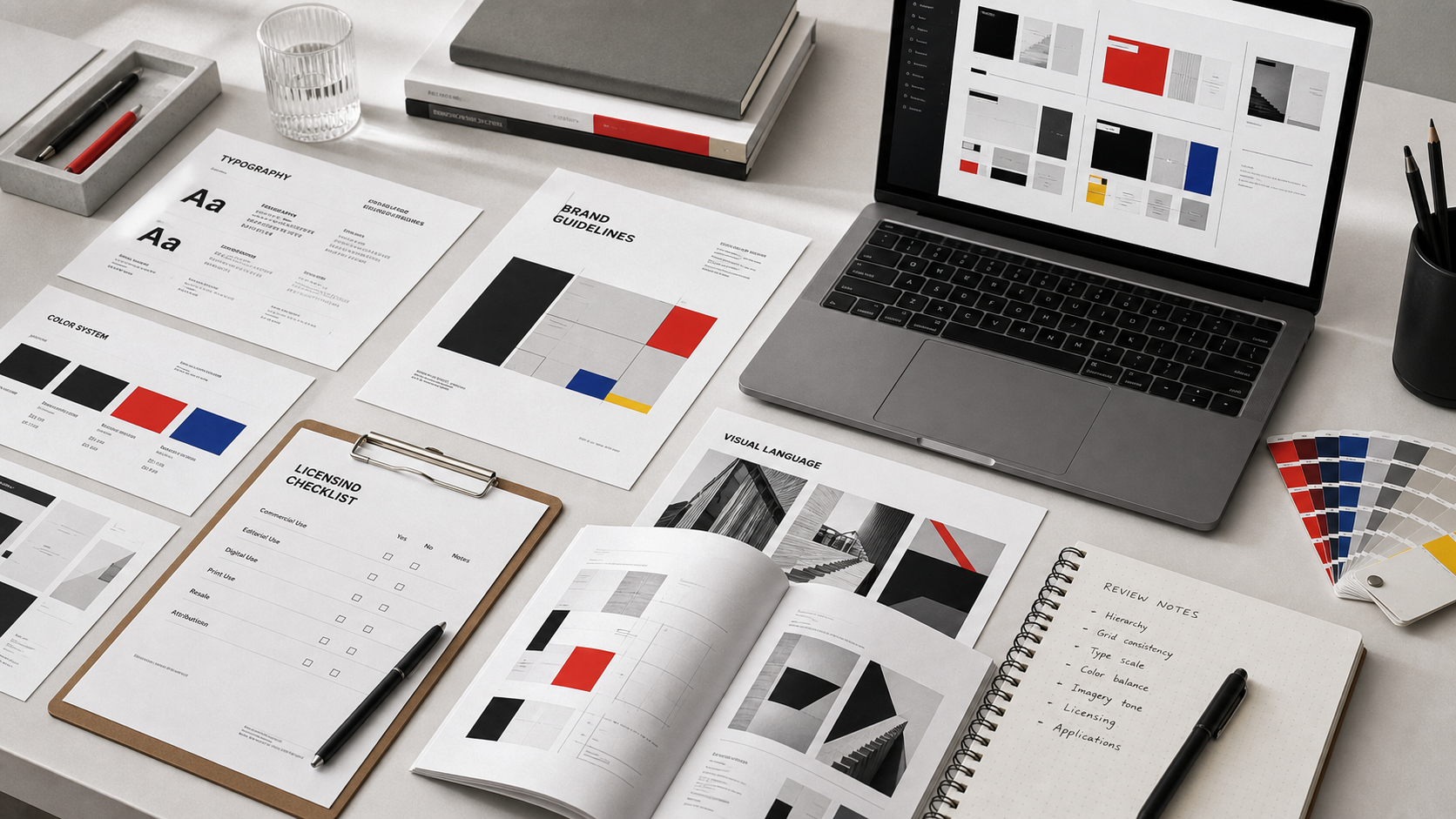
Where Creative Market fits
Creative Market is strongest when the team knows exactly what it is buying: a font family for a campaign, a mockup scene for a launch page, a deck template for a sales sprint, or a visual texture for early concept work. The marketplace model gives buyers range. It also gives buyers responsibility, because quality, documentation, and license suitability vary from seller to seller.
That makes Creative Market a useful resource layer, not a substitute for design direction. The team still needs a design owner who can reject beautiful assets that are off-brand, legally awkward, or too hard to edit.
License discipline
The first review step is not visual. It is license fit. Creative Market's public license page distinguishes Commercial and Extended Commercial use, with different allowances for end products, apps, web apps, games, social accounts, and broadcast contexts. A team using assets in client work, paid ads, resale templates, merchandise, or SaaS UI should map the intended use before buying.
Do not rely on memory for license rules. Put the license URL, purchase receipt, seller name, and intended project in the same folder as the asset. If a brand system will last years, that record is part of the system.
File-quality checks
Open the source file before it enters the live design library. A good asset has named layers, editable typography, vector shapes where expected, reasonable export sizes, and clear font dependencies. A weak asset looks polished in the preview but requires repair before anyone can use it.
Fonts deserve a separate check. Confirm desktop, web, app, and client-transfer rights before using a typeface in a logo, website, app interface, or template product. A font purchase that works for a static campaign may not work for a distributed SaaS product.
Comparison with subscriptions
Creative Market's a la carte model is useful when the team needs a few specific assets and wants to avoid another subscription. Envato Elements and similar libraries can be better when production teams repeatedly need stock, templates, icons, motion assets, and mockups across many projects. The tradeoff is inventory discipline: subscriptions can encourage overuse of generic assets, while marketplaces can create fragmented license records.
Best use cases
Use Creative Market for early visual range, pitch mockups, limited campaign assets, and specialist graphics that would be too expensive to commission. Be more cautious with core identity ingredients: primary logo marks, brand-defining type, UI icons, and anything embedded into a product.
Verdict
Creative Market is good when the buyer has a checklist. Without one, the marketplace turns into a folder of attractive files with unclear rights and uneven production value. With one, it can save meaningful exploration time and give lean teams access to visual options they could not commission from scratch.
Internal next steps: pair this review with the Envato Elements comparison, the design subscription deal guide, and the font licensing checklist before approving a shared asset library.
Buying workflow
Before browsing, write a short asset brief. Include the channel, dimensions, required software, whether source files must be editable, whether the asset will be used for a client, and whether it may appear in paid media. This prevents a common marketplace mistake: buying a polished preview and discovering later that the asset does not fit the actual production job.
After purchase, create a small license note beside the file. Record the product URL, seller, purchase date, license type, intended project, and any restrictions you noticed. This is not bureaucracy. It keeps future designers from reusing a file in a different context without knowing whether the original license supports that use.
What to inspect after download
For templates, check master pages, named layers, image replacement behavior, and whether the type scale survives real copy. For mockups, check whether the smart object or replacement layer is easy to find, whether the perspective is plausible, and whether the final export works at the needed size. For fonts, confirm the allowed channels before installing them into a shared brand library.
Where Creative Market should stay out
Do not let a marketplace asset become the main identity idea unless the team has deliberately accepted that risk. Logo concepts, primary brand illustrations, and signature UI icon systems usually need stronger originality and ownership review. Creative Market is more useful as a supporting layer: mockups, exploratory styles, presentation polish, campaign textures, or secondary graphics that are governed by a clear brand owner.
Internal approval flow
For team use, create a lightweight approval step before any Creative Market asset enters the shared library. The reviewer should confirm license fit, source-file quality, visual fit, and whether the asset overlaps with something already owned. This step can be fast, but it needs to exist. Otherwise a marketplace purchase becomes official simply because someone used it in a live file.
Separate exploration purchases from system assets. Exploration files can live in a project folder and expire when the project ends. System assets need stronger review because they may be reused by people who never saw the original listing or license page.
Seller and update considerations
Check whether the seller appears active, whether the product has clear file details, and whether updates are mentioned. An asset does not need constant updates to be valuable, but abandoned files can become a problem when software versions change. For templates, look for evidence that the seller understands the target software, not just preview design.
When to choose another source
Use a subscription library when the team needs many similar assets every month. Use a custom designer when the asset will become a signature brand element. Use open-source or first-party assets when rights and distribution simplicity matter more than visual distinctiveness. Creative Market is strongest in the middle: specific enough to be useful, flexible enough to avoid another recurring tool.
Marketplace and alternative asset sources checked
Creative Market is useful when a team wants selective purchases, not a subscription drawer that hides asset quality problems. The entries below are the explicit image-backed options used in the article. Each referenced option has a local image, a public source URL, and a practical reason to include or skip it.
| Option | Best use | Main caution |
|---|---|---|
| Creative Market | best for individual type, template, mockup, and brand-kit purchases where the buyer wants to inspect a specific seller | license tier and end-product limits must be checked before client or commercial use |
| Envato Elements | best when a team needs many asset types under one subscription | download records and project registration become part of compliance |
| Design Bundles | best for craft, font, SVG, and promotion-heavy design buying | deal urgency should not bypass license review |
Creative Market
Creative Market is included because best for individual type, template, mockup, and brand-kit purchases where the buyer wants to inspect a specific seller. The image above is stored locally and tied to the public source page used for this review: https://creativemarket.com/.
The main caution is that license tier and end-product limits must be checked before client or commercial use. For content-ops review, this means the article should treat Creative Market as a specific evaluated option, not as a throwaway example. If the product or agency appears in a shortlist, comparison, or buying recommendation, the page needs a visible asset record and a source trail.
Envato Elements
Envato Elements is included because best when a team needs many asset types under one subscription. The image above is stored locally and tied to the public source page used for this review: https://elements.envato.com/.
The main caution is that download records and project registration become part of compliance. For content-ops review, this means the article should treat Envato Elements as a specific evaluated option, not as a throwaway example. If the product or agency appears in a shortlist, comparison, or buying recommendation, the page needs a visible asset record and a source trail.
Design Bundles

Design Bundles is included because best for craft, font, SVG, and promotion-heavy design buying. The image above is stored locally and tied to the public source page used for this review: https://designbundles.net/.
The main caution is that deal urgency should not bypass license review. For content-ops review, this means the article should treat Design Bundles as a specific evaluated option, not as a throwaway example. If the product or agency appears in a shortlist, comparison, or buying recommendation, the page needs a visible asset record and a source trail.
Editorial scoring model
This review uses five checks: seller evidence, license tier, file hygiene, update history, fit with brand-system needs. The criteria are intentionally operational. A visually strong resource can still be a poor recommendation if the license is unclear, the file structure is hard to maintain, or the team cannot repeat the workflow without a designer repairing every output.
For a lean design or marketing team buying resources for a brand system, campaign, or client handoff, the best choice is the one that reduces review cycles while preserving brand control. That means the article weighs source evidence, product or portfolio clarity, handoff quality, and recurring workflow fit. It does not assume that a bigger library, a famous studio, or a lower monthly price is automatically better.
Price and plan details should be checked on the linked official pages before purchase because SaaS packaging and marketplace licenses change. The recommendation here is based on public product positioning, visible documentation, and editorial fit at the time of review, not private testing or negotiated enterprise terms.
Operational notes
Creative Market works best when the buyer slows down. Read the seller notes, inspect included formats, compare Commercial and Extended Commercial limits, and decide whether the asset will appear in client work, resale products, apps, templates, or only internal marketing. The same visual file can carry very different risk depending on use.
Buyer discipline
The advantage over a broad subscription is selectivity. A team can buy one strong type family, mockup set, or template kit and keep it attached to a specific project. That is useful for brand systems because the asset record stays narrow and explainable.
Field test
The weakness is operational discipline. If every designer buys separate assets under separate accounts, the company loses track of rights. A simple purchasing rule solves most of the problem: one buyer account, one license folder, one naming convention, and a required note explaining where the file will be used.
Procurement and rollout workflow
Start with a written use case. Name the output, owner, deadline, approval path, and channels where the asset or service will appear. That single paragraph prevents vague buying: the team is no longer asking whether a tool is good in general, it is asking whether the tool solves a real production job.
Next, save the evidence. Keep the source URL, downloaded image or screenshot, license page, pricing page, and a note about why the option was considered. For design resources, this record is as important as the final recommendation because rights and file provenance often become questions months later.
Then run a small production test. Build one real asset, deck, campaign frame, or handoff package. Ask the reviewer to score output quality, editing friction, brand consistency, and compliance confidence. If the answer depends on heroic manual cleanup, the option is not ready for broad adoption.
Finally, set a review date. Subscriptions need renewal checks; agency relationships need phase gates; fonts and templates need usage audits; and design tools need owner reviews when the brand system changes.
Risk register
The first risk is overbuying. A large catalog, famous studio, or polished template can make the team feel safer while creating more assets to govern. The fix is a narrow acceptance test: identify the exact job the option must perform and reject anything that cannot show value there.
The second risk is license drift. Files move from experiments into production, contractors reuse assets, and teams forget which plan or license covered the original download. Keep a license archive beside the working files, not in a separate inbox. Include the receipt, source URL, image file, and a short allowed-use note.
The third risk is brand drift. Tools that help non-designers move faster also help them create off-system work faster. Templates, brand kits, and agency handoffs need named owners. Without ownership, the approved system decays into duplicated files and local exceptions.
The fourth risk is stale evidence. Public product pages and pricing pages change. Revisit the linked sources before a renewal, a new client use, or a major campaign launch.
Final recommendation
Use Creative Market when the asset itself is the decision; use subscriptions when volume and variety matter more than seller-by-seller selection.
The practical decision rule is simple: choose the option that makes the next production cycle clearer. If the team can explain the use case, confirm the rights, produce the asset, and hand it off without hidden cleanup, the choice is defensible. If the choice only looks attractive because the preview is polished or the deal is urgent, keep it out of the standard workflow.
Internal next steps: compare Figma vs Canva, template marketplaces, font licensing checklist, mockup and asset libraries, and design subscription deal checks when the decision touches more than one part of the creative stack.