Scope note: this shortlist uses public pages and official downloadable images where available. It does not claim private library testing or paid account access.
Why mockup choice matters
Product marketing mockups do more than decorate a landing page. They shape how buyers understand the product, whether screenshots feel current, and how quickly the team can refresh launch assets. A good mockup system lets marketers update visuals without rebuilding every composition from scratch. A bad one makes the product look generic or legally messy.
The best library depends on the job: device screenshots, premium hero visuals, quick social posts, packaging scenes, or a broad asset subscription.
Shortlist
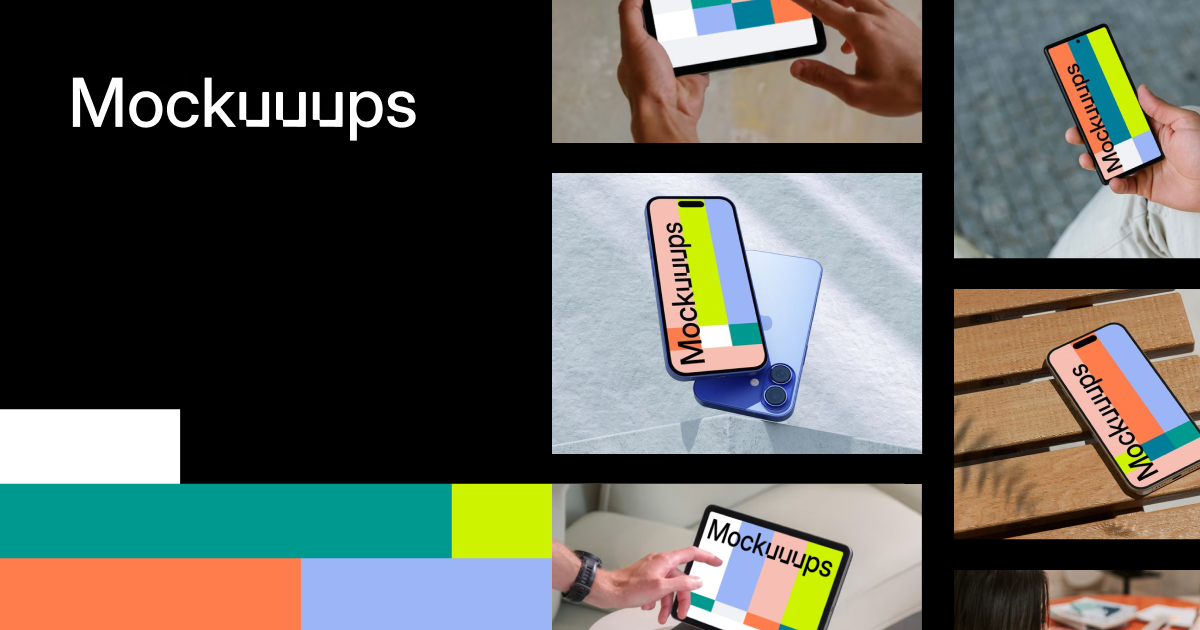
Mockuuups Studio is the practical choice for teams that need device and app screenshots quickly. It suits SaaS launches, app pages, pitch decks, and changelog graphics where screenshot replacement speed matters.
LS Graphics is stronger when the brand needs more polished, premium scenes. Its assets often feel closer to editorial product marketing than generic template output, which can help a launch feel less stock-like.
Placeit is useful for fast, broad mockup creation across apparel, devices, logos, and social visuals. It fits teams that value speed and range, but licensing and visual fit still need to be checked per use.
Envato Elements is useful when mockups are only one part of a broader asset subscription. It can support campaigns that also need templates, stock, motion, and graphics.
Freepik can fill visual gaps, especially when teams need vector, PSD, photo, or template support, but quality and attribution requirements should be reviewed carefully.
Evaluation table
| Library | Best for | Watch out for |
|---|---|---|
| Mockuuups Studio | Device and app screenshot speed | Reused scenes across competitors |
| LS Graphics | Premium hero visuals | Smaller, more curated coverage |
| Placeit | Fast broad mockup generation | Generic outputs if not art-directed |
| Envato Elements | Multi-asset campaign production | Subscription inventory sprawl |
| Freepik | Wide visual-resource gaps | License and attribution checks |
Image workflow
Keep product screenshots separate from mockup frames. If the UI changes, the team should be able to update the screenshot without hunting through an old design file. Store the source, license, final export, and screenshot date together. That makes future refreshes faster and prevents outdated UI from surviving on high-traffic pages.
Verdict
For most lean product teams, start with Mockuuups for speed and LS Graphics for premium hero moments. Add Envato or Placeit only if the production calendar needs broader asset coverage. Do not approve any library without a license record and a screenshot-refresh owner.
Internal next steps: compare this with the design deals guide, Envato vs Creative Market, and the template marketplace shortlist.
Operational workflow
A mockup library should have a screenshot refresh process. Store the raw screenshot, mockup source, license record, export, and page where the final image appears. When the product UI changes, the team can update the screenshot without rebuilding the entire launch asset. This matters for SaaS teams because outdated UI images can quietly weaken trust.
Create a short scene standard before choosing a library. Define device types, background style, reflection level, crop rules, and where text can appear. Without standards, each launch uses a different visual language and the site starts to look assembled from unrelated asset packs.
Licensing and claims
Mockups can create implied claims. A device frame can suggest platform support. A payment card, storefront, or app-store visual can imply integrations. Check that the image does not overstate the product. Also verify whether the license permits paid ads, client work, resale templates, or broad distribution if those channels matter.
When custom imagery is better
Use custom photography or custom 3D when the product's visual world is part of the brand moat. Libraries are excellent for speed, but recognizable scenes can make premium products feel generic. The higher the brand stakes, the more selective the library should be.
How to choose a library for the next launch
Start with the launch page, not the library catalog. List the images the page needs: hero device scene, feature screenshot, social preview, comparison graphic, and maybe a pricing or dashboard visual. Then choose the library that covers those exact scenes with the least editing. This prevents a common mistake where a team buys a library because it looks rich, then discovers none of the scenes match the actual story.
The second check is update speed. If the product changes every sprint, the best mockup is the one where screenshots can be replaced quickly. If the product changes slowly and the brand needs a premium visual moment, a more polished static asset can be worth the extra effort.
Quality checks before publishing
Zoom into the final export. Check whether UI text is readable, device edges are clean, reflections are plausible, and the screenshot is not distorted. Then compare the image against the product's real interface. If the mockup makes the product look more mature than it is, adjust the scene. Product marketing can frame value, but it should not imply capabilities the product lacks.
Asset-folder structure
Store each final image with the source library, license note, screenshot date, export size, and live page path. That record makes future redesigns easier. It also helps decide which library deserves renewal because the team can see which assets actually shipped.
Final decision test
Pick the library that makes the next refresh easier, not only the first launch prettier. Product screenshots age quickly. Pricing pages, dashboards, onboarding flows, and feature screens change. A library that produces a beautiful one-off image but makes updates painful can create hidden maintenance debt. The best library keeps the product accurate and the brand distinctive at the same time.
Keep one published example per library in your review notes. Seeing the final page context helps future editors decide whether that source still matches the brand, not just whether it worked once.
Mockup and asset sources checked for the shortlist
The right mockup source is the one that makes the product easier to understand without introducing licensing, realism, or brand-consistency risk. The entries below are the explicit image-backed options used in the article. Each referenced option has a local image, a public source URL, and a practical reason to include or skip it.
| Option | Best use | Main caution |
|---|---|---|
| Mockuuups Studio | best for SaaS and app teams that need device mockups quickly and repeatedly | less useful when the campaign needs bespoke photographed environments or unusual hardware |
| LS Graphics | best for polished premium scenes and branded presentation assets | individual asset quality varies, so inspect resolution, editable layers, and license terms before buying |
| Placeit | best for fast marketing variations, apparel previews, and template-led social assets | output can look familiar if the same templates are widely used in the category |
| Freepik | best as a broad search layer for vectors, photos, and general creative components | requires extra curation to avoid generic visual language and attribution/licensing mistakes |
| Envato Elements | best when one subscription needs to cover mockups, graphics, fonts, templates, and stock assets | download records and project registration matter more than the monthly price |
Mockuuups Studio
Mockuuups Studio is included because best for SaaS and app teams that need device mockups quickly and repeatedly. The image above is stored locally and tied to the public source page used for this review: https://mockuuups.studio/.
The main caution is that less useful when the campaign needs bespoke photographed environments or unusual hardware. For content-ops review, this means the article should treat Mockuuups Studio as a specific evaluated option, not as a throwaway example. If the product or agency appears in a shortlist, comparison, or buying recommendation, the page needs a visible asset record and a source trail.
LS Graphics
LS Graphics is included because best for polished premium scenes and branded presentation assets. The image above is stored locally and tied to the public source page used for this review: https://www.ls.graphics/.
The main caution is that individual asset quality varies, so inspect resolution, editable layers, and license terms before buying. For content-ops review, this means the article should treat LS Graphics as a specific evaluated option, not as a throwaway example. If the product or agency appears in a shortlist, comparison, or buying recommendation, the page needs a visible asset record and a source trail.
Placeit
Placeit is included because best for fast marketing variations, apparel previews, and template-led social assets. The image above is stored locally and tied to the public source page used for this review: https://placeit.net/.
The main caution is that output can look familiar if the same templates are widely used in the category. For content-ops review, this means the article should treat Placeit as a specific evaluated option, not as a throwaway example. If the product or agency appears in a shortlist, comparison, or buying recommendation, the page needs a visible asset record and a source trail.
Freepik
Freepik is included because best as a broad search layer for vectors, photos, and general creative components. The image above is stored locally and tied to the public source page used for this review: https://www.freepik.com/.
The main caution is that requires extra curation to avoid generic visual language and attribution/licensing mistakes. For content-ops review, this means the article should treat Freepik as a specific evaluated option, not as a throwaway example. If the product or agency appears in a shortlist, comparison, or buying recommendation, the page needs a visible asset record and a source trail.
Envato Elements
Envato Elements is included because best when one subscription needs to cover mockups, graphics, fonts, templates, and stock assets. The image above is stored locally and tied to the public source page used for this review: https://elements.envato.com/.
The main caution is that download records and project registration matter more than the monthly price. For content-ops review, this means the article should treat Envato Elements as a specific evaluated option, not as a throwaway example. If the product or agency appears in a shortlist, comparison, or buying recommendation, the page needs a visible asset record and a source trail.
Editorial scoring model
This review uses five checks: realistic product context, editable files, commercial license clarity, search speed, fit with recurring launch formats. The criteria are intentionally operational. A visually strong resource can still be a poor recommendation if the license is unclear, the file structure is hard to maintain, or the team cannot repeat the workflow without a designer repairing every output.
For a product marketing team that needs homepage, launch deck, ad, and sales-enablement visuals without commissioning custom photography for every release, the best choice is the one that reduces review cycles while preserving brand control. That means the article weighs source evidence, product or portfolio clarity, handoff quality, and recurring workflow fit. It does not assume that a bigger library, a famous studio, or a lower monthly price is automatically better.
Price and plan details should be checked on the linked official pages before purchase because SaaS packaging and marketplace licenses change. The recommendation here is based on public product positioning, visible documentation, and editorial fit at the time of review, not private testing or negotiated enterprise terms.
Operational notes
The most common mistake is choosing the prettiest scene instead of the clearest one. A device mockup should make the interface legible, the use case obvious, and the visual hierarchy easier to scan. If the scene hides the actual product under reflections, props, or extreme crops, it is decoration rather than marketing evidence.
Buyer discipline
Create a shared asset folder with the source page, license record, downloaded file, edited export, and campaign where the asset was used. That sounds administrative, but it prevents repeated license questions later and makes it easier to refresh visuals when the product UI changes.
Field test
For launches, build a small standard set: one homepage hero frame, one comparison-card frame, one social crop, one sales-deck frame, and one app-store or marketplace crop. A library that can support those five outputs reliably is more useful than a massive catalog with inconsistent formats.
Procurement and rollout workflow
Start with a written use case. Name the output, owner, deadline, approval path, and channels where the asset or service will appear. That single paragraph prevents vague buying: the team is no longer asking whether a tool is good in general, it is asking whether the tool solves a real production job.
Next, save the evidence. Keep the source URL, downloaded image or screenshot, license page, pricing page, and a note about why the option was considered. For design resources, this record is as important as the final recommendation because rights and file provenance often become questions months later.
Then run a small production test. Build one real asset, deck, campaign frame, or handoff package. Ask the reviewer to score output quality, editing friction, brand consistency, and compliance confidence. If the answer depends on heroic manual cleanup, the option is not ready for broad adoption.
Finally, set a review date. Subscriptions need renewal checks; agency relationships need phase gates; fonts and templates need usage audits; and design tools need owner reviews when the brand system changes.
Risk register
The first risk is overbuying. A large catalog, famous studio, or polished template can make the team feel safer while creating more assets to govern. The fix is a narrow acceptance test: identify the exact job the option must perform and reject anything that cannot show value there.
The second risk is license drift. Files move from experiments into production, contractors reuse assets, and teams forget which plan or license covered the original download. Keep a license archive beside the working files, not in a separate inbox. Include the receipt, source URL, image file, and a short allowed-use note.
The third risk is brand drift. Tools that help non-designers move faster also help them create off-system work faster. Templates, brand kits, and agency handoffs need named owners. Without ownership, the approved system decays into duplicated files and local exceptions.
The fourth risk is stale evidence. Public product pages and pricing pages change. Revisit the linked sources before a renewal, a new client use, or a major campaign launch.
Final recommendation
Use Mockuuups or LS Graphics for hero-quality product scenes, keep Envato or Freepik for breadth, and reserve Placeit for fast campaign variants where speed matters more than uniqueness.
The practical decision rule is simple: choose the option that makes the next production cycle clearer. If the team can explain the use case, confirm the rights, produce the asset, and hand it off without hidden cleanup, the choice is defensible. If the choice only looks attractive because the preview is polished or the deal is urgent, keep it out of the standard workflow.
Internal next steps: compare Figma vs Canva, template marketplaces, font licensing checklist, mockup and asset libraries, and design subscription deal checks when the decision touches more than one part of the creative stack.