Scope note: this comparison uses public product pages and help material. It does not claim private testing, enterprise access, or negotiated pricing.
The core difference
Figma and Canva often get compared as if they solve the same design problem. They do not. Figma is better when the team is still deciding how a system should work: components, variants, product states, layout rules, feedback, and design-to-development collaboration. Canva is better when the system is approved and many people need to produce on-brand assets without routing every request back to a designer.
The wrong choice usually comes from collapsing those two jobs into one tool. A brand system needs a place to be designed. A marketing operation needs a place to be repeated.
Feature comparison
| Workflow question | Figma fit | Canva fit |
|---|---|---|
| Are components and UI states still changing? | Strong | Weak |
| Do non-designers need campaign assets quickly? | Moderate | Strong |
| Are brand kits, logos, and approved colors the main control point? | Moderate | Strong |
| Does the team need product collaboration and Dev Mode? | Strong | Weak |
| Is the work mostly social, deck, and marketing production? | Moderate | Strong |
When Figma wins
Choose Figma when the work is still unresolved. It is the better home for product UI, interaction states, design tokens, component libraries, website systems, and review comments. It also works better when designers and product teams need to inspect, annotate, and iterate on source files before anything becomes a template.
Figma's pricing and product pages also show how its paid seats, Dev Mode, shared assets, permissions, and organizational controls are aimed at design collaboration. That matters when the brand system touches product work or a design system, not only marketing graphics.
When Canva wins
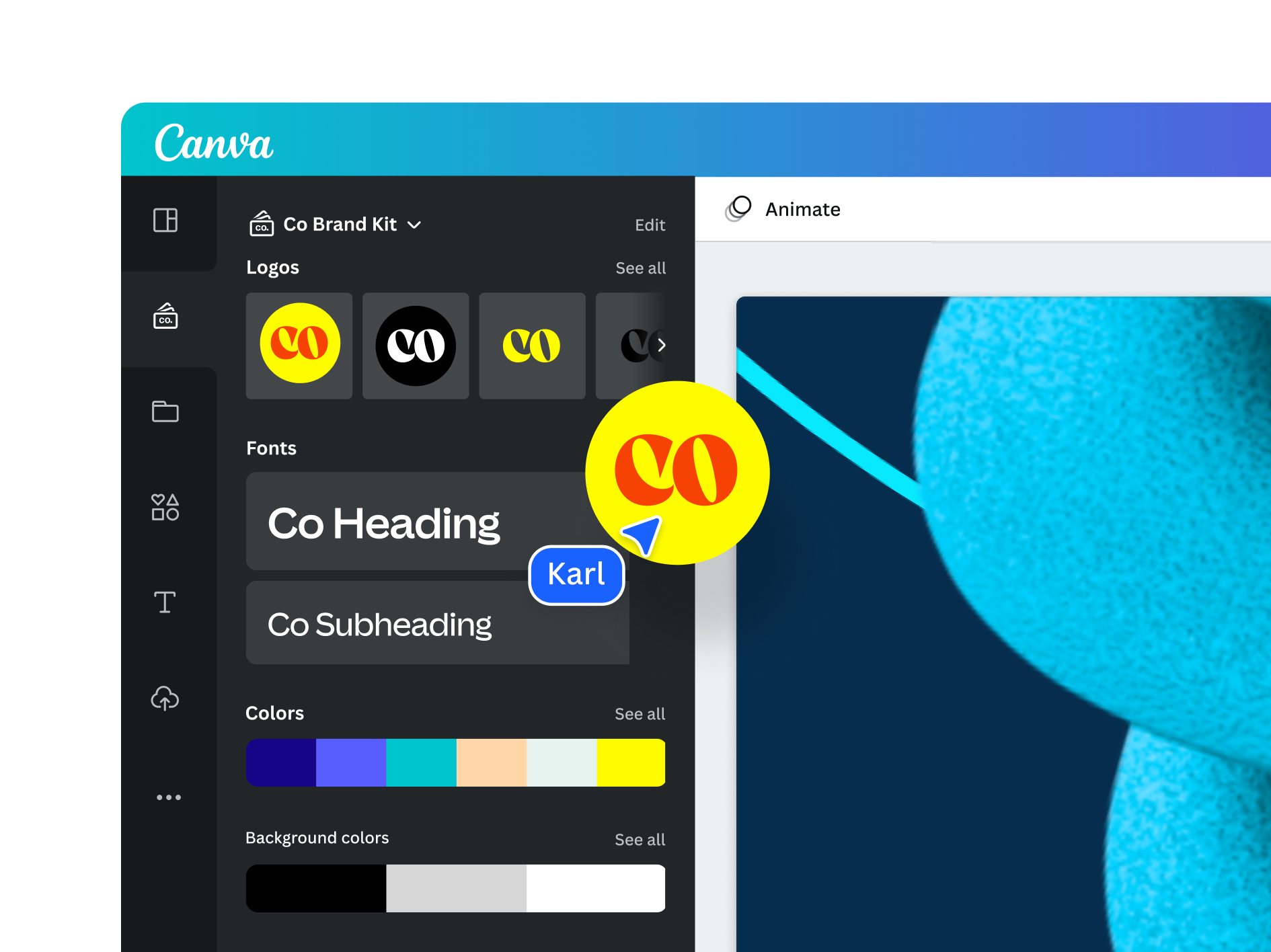
Choose Canva when the visual system is already approved and the main problem is distribution. Canva's Brand Kit material focuses on logos, colors, fonts, images, folders, and multiple brands. That is exactly the job many marketing teams need: give regional teams, sales reps, recruiters, and founders a controlled way to produce assets without breaking the brand.
Canva is not a weaker Figma. It is a different operating layer. The strongest Canva setups start with a designer-defined system and then translate it into locked templates, brand kits, and repeatable formats.
The two-tool workflow
The cleanest setup is often Figma for source-of-truth design and Canva for production. Use Figma to define the system, document component logic, and make unresolved creative decisions. Then translate common outputs into Canva templates for social posts, event graphics, simple decks, and one-off marketing requests.
This prevents two common failures: non-designers editing source files they do not understand, and designers being pulled into repetitive resizing work that could be templated.
Verdict
If the question is "What should this system be?", start in Figma. If the question is "How do more people make approved assets quickly?", Canva deserves serious consideration. Teams that need both should not force one tool to do both jobs.
Internal next steps: pair this comparison with the Adobe Express review, the presentation system guide, and the template marketplace shortlist.
Governance model
The strongest workflow gives each tool a clear job. Figma should hold the source system: components, layout rules, product surfaces, exploratory design, and documentation that designers maintain. Canva should hold approved production templates: social formats, simple decks, internal announcements, event graphics, and repeatable campaign assets that non-designers can edit safely.
This split also clarifies permissions. Designers and product partners can edit source files in Figma. Marketing users can produce from locked or guided templates in Canva. When the brand changes, the design owner updates the source system first, then revises the Canva templates that depend on it. Without this sequence, teams end up with conflicting truths.
Migration questions
Before adding Canva, list the five assets that create the most repetitive design requests. If they are social graphics, event tiles, recruiting posts, thumbnails, or simple campaign variants, Canva likely helps. If the repetitive requests are product screenshots, UI flows, landing page modules, or complex responsive layouts, the work probably belongs closer to Figma.
Before upgrading Figma, check whether the pain is actually design collaboration. If the team needs version history, shared libraries, stronger permissions, or handoff support, a Figma plan upgrade can make sense. If the pain is simply that non-designers need faster output, upgrading Figma alone may not remove the bottleneck.
Red flags
Avoid giving everyone edit access to source design files just to speed up marketing production. Also avoid rebuilding a complex design system entirely inside Canva when product, web, and UI teams still need component-level control. The tools work best when they are connected by governance, not forced into the same role.
Measurement plan
After choosing the workflow, measure whether it reduces bottlenecks. Track how many design requests are handled through templates, how many source-file edits require designer review, and how often assets need correction after publication. These metrics reveal whether the tool split is actually working. A beautiful setup that does not reduce rework is just another layer.
For Canva, watch template usage and off-brand edits. For Figma, watch library adoption, duplicate components, and unresolved comments. The goal is not to police users; it is to find the places where the system is unclear.
Training requirements
Non-designers need short rules, not a long brand book. Show which templates to use, which elements are locked, which copy can change, and where to request a new format. Designers need the opposite: rules for when a production request deserves a new source component or when it should remain a Canva template.
Long-term architecture
Treat Figma as the upstream system and Canva as a downstream production surface. When brand colors, type, components, or imagery direction change, update upstream first. Then update templates downstream. This keeps the team from maintaining two conflicting brand systems.
Workflow products checked
Figma and Canva solve different layers of brand work: one is better for system design, the other for repeatable production. The entries below are the explicit image-backed options used in the article. Each referenced option has a local image, a public source URL, and a practical reason to include or skip it.
| Option | Best use | Main caution |
|---|---|---|
| Figma | best for product interfaces, components, design systems, review comments, and source-of-truth collaboration | non-designers can break system logic if they use it only as a poster maker |
| Canva | best for distributed marketing output, social formats, presentations, and quick branded production | template sprawl grows quickly without a brand owner and folder discipline |
| Adobe Express | best as a third option for Adobe-heavy teams that need fast branded output | does not replace Figma for UI systems or Canva for broad template adoption |
Figma

Figma is included because best for product interfaces, components, design systems, review comments, and source-of-truth collaboration. The image above is stored locally and tied to the public source page used for this review: https://www.figma.com/professional/.
The main caution is that non-designers can break system logic if they use it only as a poster maker. For content-ops review, this means the article should treat Figma as a specific evaluated option, not as a throwaway example. If the product or agency appears in a shortlist, comparison, or buying recommendation, the page needs a visible asset record and a source trail.
Canva
Canva is included because best for distributed marketing output, social formats, presentations, and quick branded production. The image above is stored locally and tied to the public source page used for this review: https://www.canva.com/pro/brand-kit/.
The main caution is that template sprawl grows quickly without a brand owner and folder discipline. For content-ops review, this means the article should treat Canva as a specific evaluated option, not as a throwaway example. If the product or agency appears in a shortlist, comparison, or buying recommendation, the page needs a visible asset record and a source trail.
Adobe Express
Adobe Express is included because best as a third option for Adobe-heavy teams that need fast branded output. The image above is stored locally and tied to the public source page used for this review: https://www.adobe.com/express/create/brand-kit.
The main caution is that does not replace Figma for UI systems or Canva for broad template adoption. For content-ops review, this means the article should treat Adobe Express as a specific evaluated option, not as a throwaway example. If the product or agency appears in a shortlist, comparison, or buying recommendation, the page needs a visible asset record and a source trail.
Editorial scoring model
This review uses five checks: source-of-truth control, non-designer access, brand kit governance, handoff friction, export quality. The criteria are intentionally operational. A visually strong resource can still be a poor recommendation if the license is unclear, the file structure is hard to maintain, or the team cannot repeat the workflow without a designer repairing every output.
For a growing company deciding where brand rules should live and where everyday campaign production should happen, the best choice is the one that reduces review cycles while preserving brand control. That means the article weighs source evidence, product or portfolio clarity, handoff quality, and recurring workflow fit. It does not assume that a bigger library, a famous studio, or a lower monthly price is automatically better.
Price and plan details should be checked on the linked official pages before purchase because SaaS packaging and marketplace licenses change. The recommendation here is based on public product positioning, visible documentation, and editorial fit at the time of review, not private testing or negotiated enterprise terms.
Operational notes
The cleanest split is upstream and downstream. Figma is where the system is designed, reviewed, and maintained. Canva is where approved patterns become repeatable campaign output. Problems start when a team asks Canva to define the system or asks Figma to serve every non-designer production request.
Buyer discipline
Figma should hold components, product screens, typography decisions, spacing logic, icon rules, and interaction references. Canva should hold the approved social, presentation, one-pager, and campaign templates that non-designers can safely edit. That separation reduces rework because each tool is doing the job it is built for.
Field test
A two-tool workflow needs one review ritual. When the brand system changes in Figma, someone must update Canva templates and retire old versions. If that step is skipped, Canva quickly becomes an archive of outdated brand decisions.
Procurement and rollout workflow
Start with a written use case. Name the output, owner, deadline, approval path, and channels where the asset or service will appear. That single paragraph prevents vague buying: the team is no longer asking whether a tool is good in general, it is asking whether the tool solves a real production job.
Next, save the evidence. Keep the source URL, downloaded image or screenshot, license page, pricing page, and a note about why the option was considered. For design resources, this record is as important as the final recommendation because rights and file provenance often become questions months later.
Then run a small production test. Build one real asset, deck, campaign frame, or handoff package. Ask the reviewer to score output quality, editing friction, brand consistency, and compliance confidence. If the answer depends on heroic manual cleanup, the option is not ready for broad adoption.
Finally, set a review date. Subscriptions need renewal checks; agency relationships need phase gates; fonts and templates need usage audits; and design tools need owner reviews when the brand system changes.
Risk register
The first risk is overbuying. A large catalog, famous studio, or polished template can make the team feel safer while creating more assets to govern. The fix is a narrow acceptance test: identify the exact job the option must perform and reject anything that cannot show value there.
The second risk is license drift. Files move from experiments into production, contractors reuse assets, and teams forget which plan or license covered the original download. Keep a license archive beside the working files, not in a separate inbox. Include the receipt, source URL, image file, and a short allowed-use note.
The third risk is brand drift. Tools that help non-designers move faster also help them create off-system work faster. Templates, brand kits, and agency handoffs need named owners. Without ownership, the approved system decays into duplicated files and local exceptions.
The fourth risk is stale evidence. Public product pages and pricing pages change. Revisit the linked sources before a renewal, a new client use, or a major campaign launch.
Final recommendation
Keep Figma upstream for systems and components; use Canva or Adobe Express downstream for controlled production once the rules are clear.
The practical decision rule is simple: choose the option that makes the next production cycle clearer. If the team can explain the use case, confirm the rights, produce the asset, and hand it off without hidden cleanup, the choice is defensible. If the choice only looks attractive because the preview is polished or the deal is urgent, keep it out of the standard workflow.
Internal next steps: compare Figma vs Canva, template marketplaces, font licensing checklist, mockup and asset libraries, and design subscription deal checks when the decision touches more than one part of the creative stack.